
Al-Azhar Library
Written by Hakan Özkan (2026)
INtroduction
Al-Azhar Library (Maktabat al-Azhar al-Sharif) is the second-largest library in Egypt, after the National Library in Cairo. Historically associated with Al-Azhar Mosque, which was founded in the tenth century CE, the modern library was established in 1897. It holds an extensive collection of books and nearly 50,000 manuscripts, including manuscripts originating from several mosques in Cairo. To date, only about one-third of the manuscript collection has been digitized.
The library is now housed in a new building in al-Sayarat. The manuscript section has not yet officially opened, with its opening expected in early 2027. Make sure to check the library’s website for the latest announcements.
Al-Azhar Library is open Sunday through Thursday from 9:30am to 3pm. It is closed on Fridays, Saturdays, and national holidays.
Location: Google Maps
GOING THERE
From downtown Cairo, take a taxi or an Uber to the library. If taking a taxi, ask the driver for Maktabat al-Azhar al-Sharif in al-Sayarat. The library is located next to Al-Rahman al-Rahim Mosque.
The nearest metro station is El Geish, approximately a 25-minute walk from the library.
GETTING IN
Upon arrival, ask at the entrance for permission to access the library. You’ll need to briefly explain your research project and present your passport.
Until the manuscript section officially opens, there is no reading room or computer access for researchers. As a result, you will not be able to search the digital catalog.
Finding your material
If you’re looking for manuscripts, make sure to consult the printed catalogs, as no digital catalog is available yet. Be sure to come to the library with your shelfmarks ready, and make them as detailed as possible. The shelfmarks should include the following: subject number, general number, and collection, e.g. (2472 أدب) 28745 السقا.
Ordering your material
Approach a staff member with a printed list of the items you’re looking for or a file saved on a USB stick. This will save you a lot of time. The staff are extremely welcoming and will likely sit down with you to look up the manuscripts in their Excel spreadsheets of the holdings.
Ordering scans
Copies of manuscripts must be requested in writing. You will need an official letter in Arabic from your university, signed and stamped, and addressed to the Head of the Central Administration of Al-Azhar Library (ra’is al-idara al-markaziyya li-maktabat al-Azhar al-sharif). The letter should list the manuscripts you wish to obtain, along with their shelfmarks.
If an item belongs to a volume containing several texts (majmu’), explicitly state that you are requesting the entire volume. Otherwise, you may receive only the individual text listed in the catalog.
Submit the letter, together with a photocopy of your passport, to the staff in person. Alternatively, you can send your request to the library staff by email.
You will receive the digital files either on your personal USB stick or on a CD.
Additional remarks
This guide will be updated once the manuscript section of Al-Azhar Library officially opens.
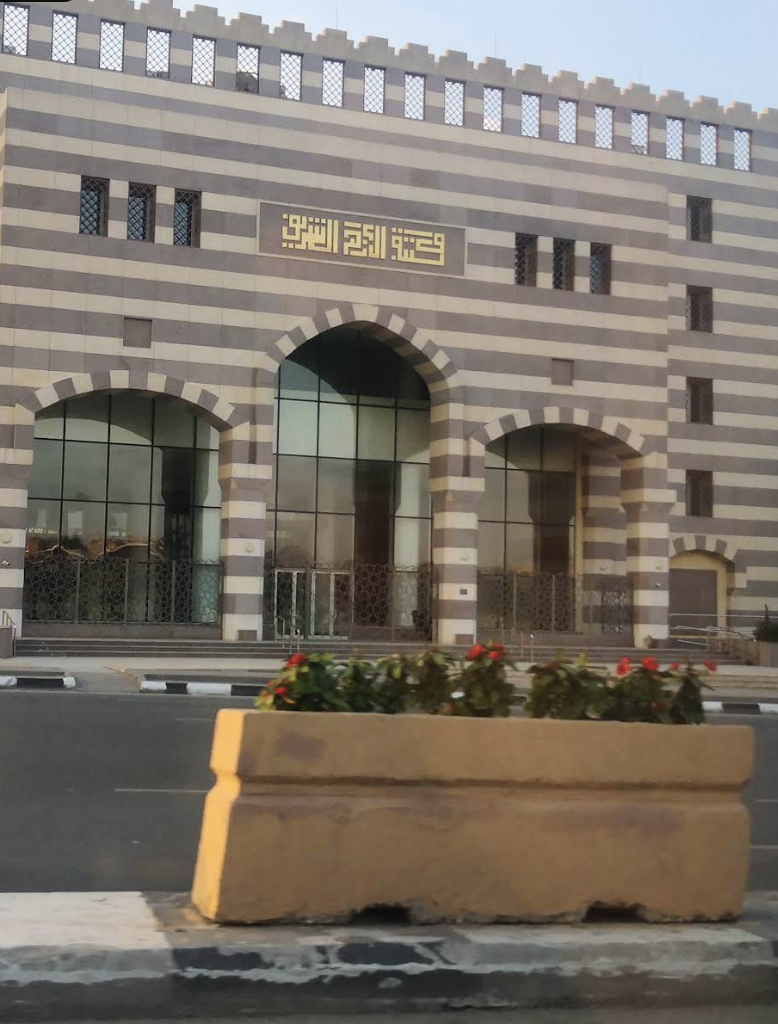
Al-Azhar Library
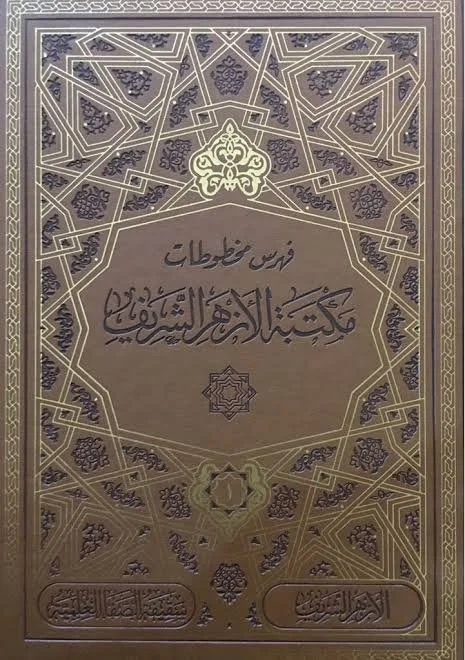
Catalog of manuscripts at al-Azhar Library